
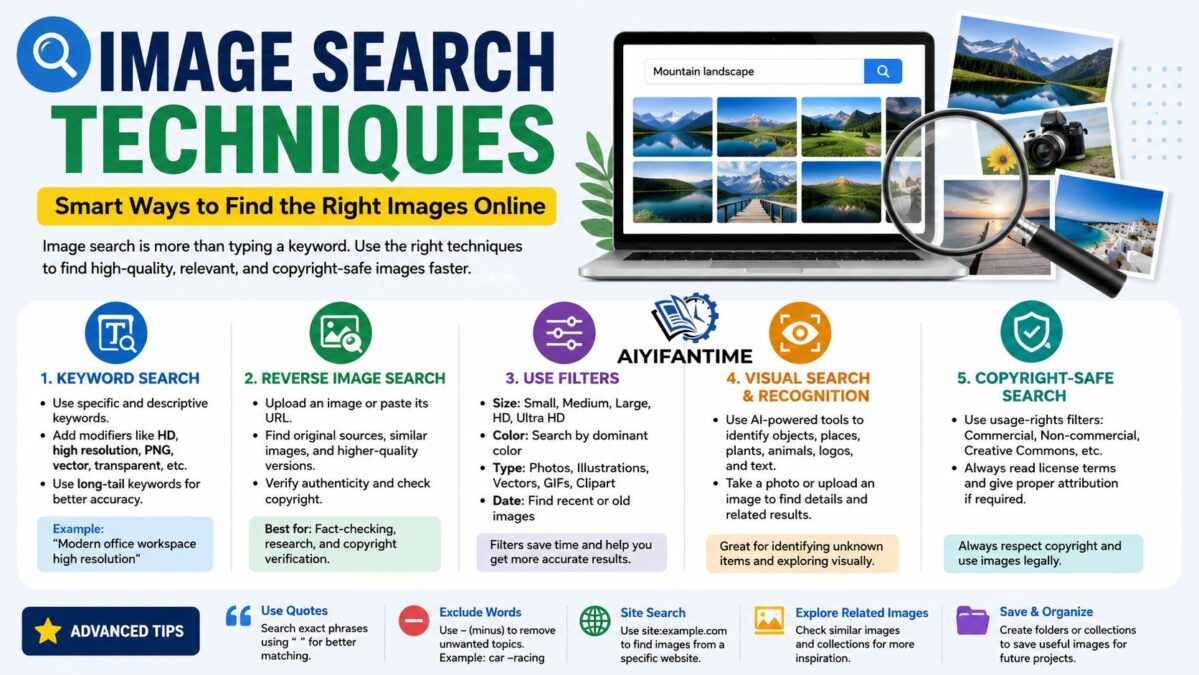

Image Search Techniques In today’s digital world, images play a crucial role in communication, marketing, education, research, and entertainment. Whether you are a student, blogger, designer, marketer, journalist, or business owner, knowing how to find the right images quickly can save valuable time and improve the quality of your work. This is where image search techniques become essential.
Image search is much more than typing a keyword into a search engine and clicking the first result. Modern search tools offer advanced features that help users locate high-quality visuals, verify image authenticity, identify objects, discover image sources, and find copyright-friendly content.
What Is Image Search?
Image Search Techniques refers to the process of finding images on the internet using search engines, specialized platforms, or reverse image search tools. Instead of relying solely on text-based results, image search provides visual content related to a specific query.
Image search technology uses advanced algorithms, artificial intelligence, metadata analysis, and visual recognition systems to match images with user searches.
Today, image search is used for:
- Content creation
- Graphic design
- Product research
- Academic studies
- Social media marketing
- Visual inspiration
- Fact-checking
- Copyright verification
Understanding how to use image search effectively can dramatically improve productivity and search accuracy.
Why Image Search Techniques Matter
Many users struggle to find the exact image they need because they use basic search methods. Advanced image search techniques provide several benefits:
Faster Results
Instead of scrolling through hundreds of unrelated images, advanced filtering helps narrow down results instantly.
Better Image Quality
You can locate high-resolution images suitable for websites, presentations, and print materials.
Copyright Compliance
Proper search methods help identify images that are free to use or licensed appropriately.
Improved Research
Researchers and students can verify image origins and discover additional information connected to visuals.
Enhanced Creativity
Designers and marketers can find inspiration through related image searches and visual discovery tools.
Keyword-Based Image Search
The most common image search technique is keyword searching.
Use Specific Keywords
Rather than searching for:
“dog”
Try:
“golden retriever puppy playing in park”
Specific keywords generate more accurate results.
Add Descriptive Modifiers
Include terms such as:
- HD
- High resolution
- PNG
- Transparent background
- Vector
- Infographic
- Illustration
- Professional
For example:
“modern office workspace high resolution”
This helps refine results significantly.
Use Long-Tail Keywords
Long-tail keywords often produce better image matches because they describe a specific subject or scenario.
Example:
“female entrepreneur working on laptop in coffee shop”
instead of simply
“businesswoman”
Reverse Image Search
Reverse image search is one of the most powerful image search techniques available today.
Instead of entering text, users upload an image or paste its URL to discover:
- Similar images
- Original sources
- Higher-quality versions
- Related websites
- Product information
Benefits of Reverse Image Search
Verify Authenticity
Journalists and researchers use reverse image search to determine whether an image has been altered or misrepresented.
Find Original Sources
Content creators can identify where an image first appeared online.
Detect Copyright Issues
Businesses can check whether an image is copyrighted before using it.
Discover Similar Images
Designers often use reverse image search to find visually related content.
Using Image Filters Effectively
Many people overlook image search filters, but they can dramatically improve search accuracy.
Size Filters
Search engines allow filtering by image dimensions.
Options include:
- Large
- Medium
- Icon
- HD
- Ultra HD
This is particularly useful when creating websites, presentations, or printed materials.
Color Filters
Search by dominant color:
- Red
- Blue
- Green
- Black
- White
- Transparent
Color filtering helps designers maintain brand consistency.
Image Type Filters
Search specifically for:
- Photos
- Illustrations
- Vectors
- Clipart
- GIFs
- Line drawings
These filters eliminate irrelevant image formats.
Date Filters
Find recently uploaded images by filtering results according to:
- Past day
- Past week
- Past month
- Past year
This is valuable for news and trend-related content.
Search by Image Recognition
Artificial intelligence has transformed image search.
Modern search engines can recognize:
- Faces
- Animals
- Products
- Buildings
- Plants
- Text
- Logos
This technology allows users to search using visual information rather than textual descriptions.
For example, taking a photo of a flower can help identify its species instantly.
Similarly, photographing a product can reveal where it is sold online.
Finding Copyright-Free Images
One of the most important image search techniques involves locating images that can be legally used.
Check Usage Rights
Many search platforms provide usage-right filters such as:
- Commercial use
- Non-commercial use
- Creative Commons
- Public domain
Always verify licensing requirements before publishing images.
Read License Information
Even when an image appears free, review its license terms carefully.
Some licenses may require:
- Attribution
- Credit links
- Non-commercial use only
Understanding these conditions helps avoid copyright issues.
Advanced Search Operators
Search operators help refine image searches even further.
Quotation Marks
Use quotation marks for exact matches.
Example:
“modern minimalist living room”
This returns results closely matching the exact phrase.
Exclusion Operator
Remove unwanted topics.
Example:
jaguar -car
This helps focus on the animal rather than the vehicle.
Site-Specific Searches
Search images from a particular website.
Example:
site.com landscape photography
This limits results to a single domain.
These advanced techniques are especially useful for professional research and content creation.
Visual Search for Shopping
E-commerce platforms increasingly use visual search technologies.
Users can upload photos of:
- Clothing
- Furniture
- Electronics
- Home décor
- Accessories
The system identifies similar products and purchasing options.
Benefits of Visual Shopping
- Faster product discovery
- Better comparison shopping
- Easier identification of unknown items
- Improved customer experience
Visual search is rapidly becoming a major trend in online retail.
Optimizing Image Searches for Content Creators
Content creators often need unique visuals for blogs, websites, and social media.
Search Multiple Variations
Instead of using one keyword, try several related phrases.
Example:
- Digital marketing
- Online marketing
- Content marketing
- Social media strategy
This expands your options significantly.
Explore Related Images
Most image search engines offer visually similar image suggestions.
These recommendations can reveal creative alternatives you might otherwise miss.
Save Search Collections
Organize useful images into folders for future projects.
A structured image library saves time during content production.
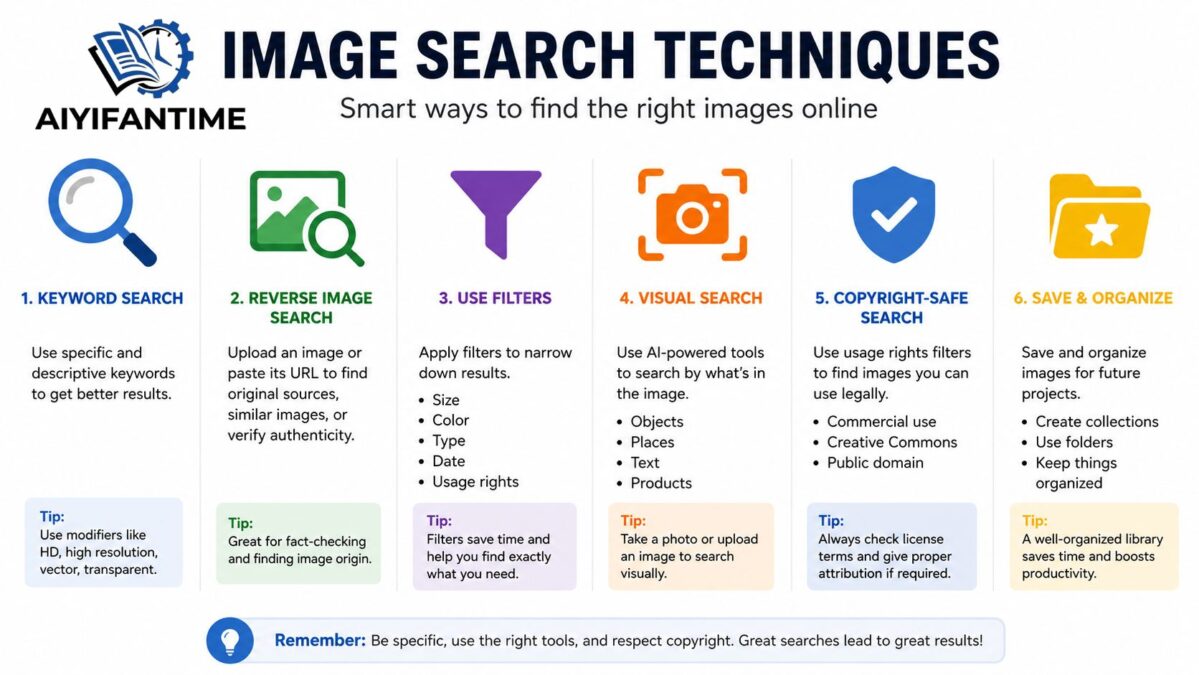
Image Search for Academic Research
Researchers frequently rely on image searches to locate:
- Historical photographs
- Scientific diagrams
- Maps
- Data visualizations
- Educational illustrations
Verify Sources
Always confirm:
- Publication date
- Creator information
- Context
- Authenticity
Visual misinformation can spread quickly, making verification essential.
Compare Multiple Sources
Cross-check images from multiple locations to ensure accuracy.
This is especially important when researching historical events or scientific topics.
Common Image Search Mistakes
Using Vague Keywords
Generic searches often produce irrelevant results.
Be specific whenever possible.
Ignoring Filters
Many users forget to apply filters, resulting in unnecessary scrolling.
Assuming Images Are Free
Not every online image is available for unrestricted use.
Always verify licensing.
Failing to Check Resolution
Low-resolution images may appear acceptable on screen but perform poorly in print.
Skipping Reverse Searches
A reverse search can reveal valuable information about an image’s origin and authenticity.
Future of Image Search Technology
Image search technology continues to evolve rapidly.
Emerging trends include:
AI-Powered Visual Understanding
Search engines are becoming better at understanding image context and intent.
Augmented Reality Search
Users can point smartphones at objects and instantly receive information.
Voice and Image Search Combination
Future searches may combine voice commands with image recognition for even greater accuracy.
Personalized Visual Results
Artificial intelligence will increasingly customize image results based on user preferences and behavior.
These innovations will make image discovery faster, smarter, and more intuitive.
Reverse image search is often considered one of the most powerful techniques because it helps identify image sources, similar visuals, and authenticity.
Use size filters, include terms like “HD” or “high resolution” in your search, and select large image options.
Many reverse image search tools are available for free and can be used by uploading an image or entering its URL.
Conclusion
Mastering image search techniques is an essential skill in the modern digital landscape. From keyword optimization and reverse image search to advanced filtering and AI-powered visual recognition, there are numerous ways to improve search efficiency and accuracy.
Whether you are creating content, conducting research, shopping online, designing graphics, or verifying image authenticity, understanding these techniques can help you find better results in less time. As technology continues to evolve, image search will become even more intelligent, making visual discovery an increasingly powerful tool for both personal and professional use.
By applying the strategies outlined in this guide, you can maximize the value of image search and unlock a more efficient, productive, and creative online experience.